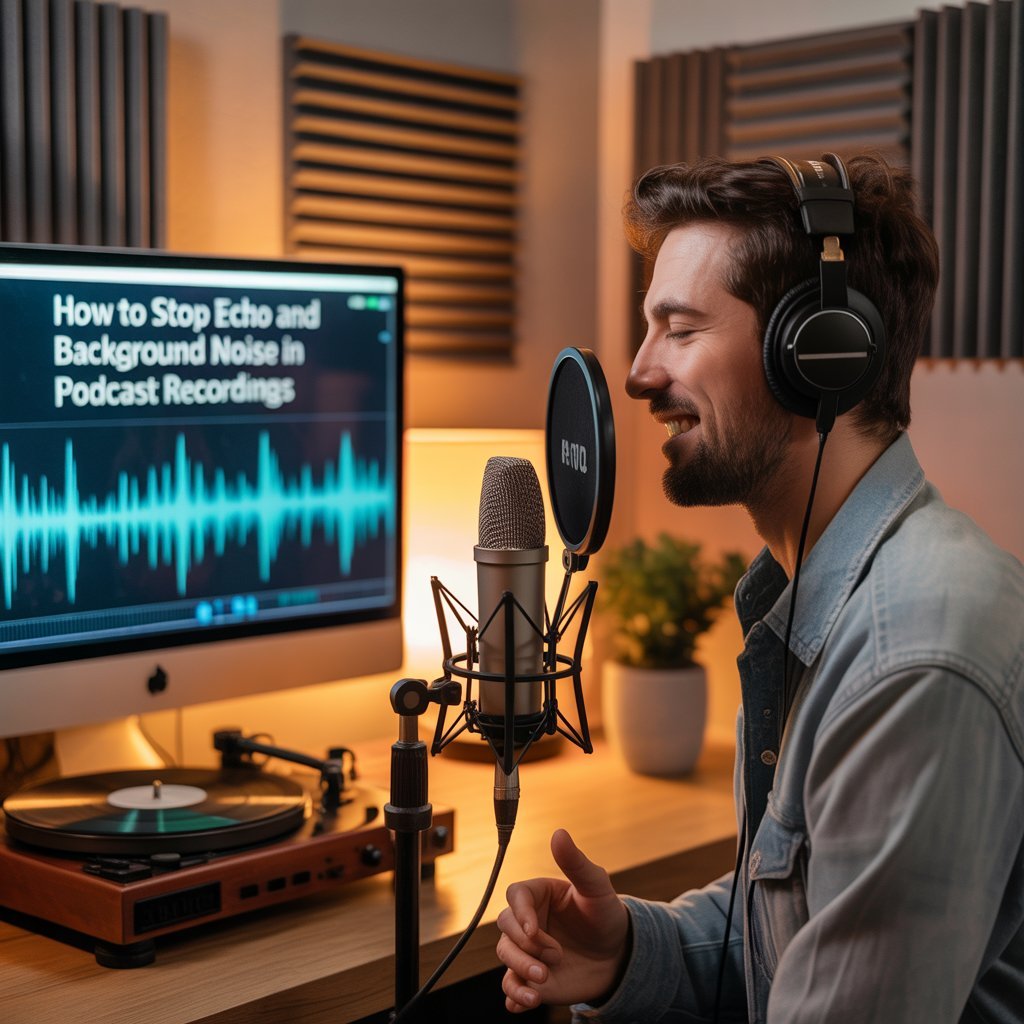
You’ve finally decided to start your podcast. The topic is exciting, you’ve mapped out your first few episodes, and you can’t wait to hit record. But then it happens — your playback is filled with echo, background hum, and distracting noise. Suddenly, what should be a fun creative process feels frustrating.
For beginners, poor audio quality is the number one reason podcasts sound unprofessional and struggle to gain traction. Listeners may forgive the occasional stumble in delivery, but if they can’t hear you clearly, they’ll quickly tune out.
The good news? You don’t need an expensive studio to fix these issues. In this guide, we’ll walk through simple, beginner-friendly solutions to cut echo and reduce background noise, many of which you can implement today with little to no budget.
Why Echo Happens
Think of sound like a rubber ball you throw in a room. That ball (your voice) hits the walls, floor, and ceiling and bounces back. Microphones don’t only hear the ball when you throw it, they also hear the bounces. Those bounces arrive a fraction of a second after your voice and that’s what makes audio sound “echo-y” or “washed out.”
Below is a breakdown of what’s going on and how to recognize it.
Sound reflections, the simple mechanics
- Direct sound: this is your voice traveling straight from your mouth to the mic. It’s the clearest, most important part of the recording.
- Reflected sound: this is your voice after it bounces off hard surfaces (walls, windows, tile). Reflections arrive milliseconds after the direct sound and mix with it. The more and longer those reflections last, the more muddled and echo-y your recording sounds.
- Why timing matters: if reflections arrive very soon after your direct sound they add a blur (reverb). If they arrive noticeably later, you’ll hear distinct echoes. Either way, the listener’s brain has to “unscramble” overlapping copies of your voice, which reduces clarity and listener comfort.
Echo vs. reverberation vs. background noise: What’s the difference?
- Reverberation (reverb): a trail of many short reflections that make recordings sound “roomy” or “soggy.” It’s the lingering tail you hear in empty halls or bathrooms.
- Echo: a single, distinct delayed repeat of sound (less common in small rooms, more common in large empty spaces or with a distant reflective surface).
- Background noise: unrelated sounds that mask your voice — fans, traffic, fridge hum, neighbors, computer fans, phone alerts. Unlike reverb, background noise is continuous or intermittent external sound, not reflections of your voice.
Everyday example: bathroom vs. carpeted living room
- Bathroom (tile, glass, hard surfaces): your voice hits hard surfaces and keeps bouncing. Result: strong reverb and sometimes audible echoes. Record there and your audio will sound “ringy,” bright, and hard to listen to.
- Carpeted living room (sofa, curtains, bookshelves): soft surfaces absorb sound, furniture scatters reflections, and rugs stop the floor from reflecting too much. Result: drier, clearer recordings that need much less cleanup in editing.
Room factors that make echo worse
- Hard, reflective surfaces: glass, tile, bare plaster, hardwood floors.
- Parallel walls: sound bouncing back and forth between two flat surfaces can create a “flutter” and make speech sound thin or metallic.
- Empty or sparsely furnished rooms: fewer absorbers = more bounce.
- Small rooms with hard surfaces can create strong early reflections that compete with your direct voice.
- Ceiling height and irregular shapes also change how sound behaves, oddly shaped rooms can concentrate reflections in unexpected places.
Quick test you can do now
Stand where you plan to sit and clap once, loudly:
- If you hear a long tail after the clap, the room is very reverberant.
- If you hear multiple rapid bounces (flutter), parallel surfaces are causing issues.
- If the clap sounds very short and dead, the room already absorbs sound well.
Record a quick voice memo in your phone and listen back with headphones, that will tell you more than what it sounds like while you’re in the room.
We would always recommend that before you buy expensive gear to “fix” bad audio, get a quick room assessment. Pure Lighthouse Media offers a consultation where we listen to a short recording of your room, point out the exact reflection problems and background-noise sources, and recommend targeted fixes, often low-cost that will save you money and vastly improve clarity.
Free Fixes for Echo at Home
You don’t need to spend a fortune to make your recordings sound better. In fact, some of the most effective solutions for reducing echo and background noise are things you already have lying around your home. Professional podcasters often joke that their first “studio” was a closet or a blanket fort and that’s not far from the truth. Here are practical, no-cost ways to control your space and get clearer recordings:
Blankets, Curtains, and Closets
Soft, thick materials absorb sound instead of letting it bounce. Hanging a heavy blanket on a wall, recording next to long curtains, or even stepping into a walk-in closet full of clothes can dramatically cut echo. The closet trick works because clothes act like natural sound absorbers, soaking up those reflections before they reach your microphone.
Tip: If you don’t have a closet, try draping a thick blanket over a door or behind your microphone while recording.
Rugs, Couches, and Bookshelves
Hardwood floors and bare walls are echo factories. Add a rug under your chair and mic stand to stop floor reflections. Place your desk near a couch or chair to help absorb sound waves. A full bookshelf is also a podcaster’s friend, books break up reflections and scatter sound so it doesn’t come back as a harsh echo.
Tip: Rearranging furniture can be just as powerful as expensive acoustic panels if done strategically.
Turn Off the Noise-Makers
Sometimes it’s not just echo, it’s the hum of electronics or outside noise creeping into your recording. Switch off fans, air conditioning, or noisy appliances before you hit record. If you’re near a window that lets in traffic sounds, close it and draw the curtains. Even a few minutes of quiet can make a huge difference in audio clarity.
Tip: Schedule recording times when your environment is naturally quieter (early morning or late evening often work best).
Why You Shouldn’t Feel Embarrassed About DIY Setups
Many beginner podcasters feel awkward about recording under a blanket or in a tiny space, but here’s the truth: even professional voice actors and audiobook narrators use these tricks. A blanket over your head may look silly, but your listeners only care about one thing, how clear and enjoyable your podcast sounds.
Remember: Pro-quality audio isn’t about fancy gear, it’s about controlling your environment. Start with these free fixes and you’ll already be ahead of most first-time podcasters.
Budget-Friendly Fixes That Make a Big Difference
Once you’ve tried the free methods and want to level up, there are a few inexpensive upgrades that can make your sound even cleaner. The good news is you don’t need to turn your entire room into a padded recording studio. A few smart purchases, placed in the right spots, can dramatically reduce echo and unwanted reflections.
Foam panels are a perfect starting point. Many beginners make the mistake of covering every inch of wall, but that’s not necessary. A handful of panels placed directly behind your microphone and in front of the spot where you speak are usually enough to tame harsh reflections. Think of it as treating the areas where your voice is most likely to bounce back, rather than trying to silence the whole room.
Portable vocal shields are another option that beginners love. These small, curved barriers sit behind your microphone and block sound from bouncing off nearby walls. They’re flexible, lightweight, and can be folded away when you’re not recording. If you don’t want to commit to sticking foam panels on your walls, a shield gives you that extra bit of control without changing your space permanently.
Mic isolation stands are also worth considering. These combine a mount, a shield, and sometimes even built-in foam to create a self-contained recording zone around your microphone. You can find entry-level versions for under fifty dollars, and they’re especially useful if you need to record in different places around your home or don’t have a dedicated space.
It’s important to remember that these upgrades are helpers, not magic fixes. If you don’t use proper mic technique or if your environment is noisy, foam and shields can only do so much. Good recording habits, like positioning yourself correctly and managing your room — still matter most.
Once you’ve reduced echo at the source, the next step is learning how to polish your recordings after the fact. That’s where training can save you time and frustration. Pure Lighthouse Media offers audio editing training designed for beginners who want to master simple tools and workflows. With a little guidance, you can remove the last bits of background noise, balance your voice, and make your podcast sound as professional as it feels.
Smart Microphone Placement Tricks
The way you position your microphone has just as much impact on sound quality as the equipment itself. Many beginners overlook this step and assume their mic will “do the work” for them. In reality, microphone placement can make the difference between a clear, professional sound and an echo-filled recording. Here are some placement techniques that every first-time podcaster should know.
Distance
Keep your mouth about six to twelve inches away from the microphone. Any closer and you risk capturing harsh breathing sounds or distortion when your voice gets too loud. Too far away and your mic will start picking up the room instead of your voice. A good rule is to stretch your hand out with your thumb on your lips and your pinky pointing toward the mic. That hand span gives you roughly the right distance.
Angle
Never point your microphone directly at a bare wall or a window. Hard, flat surfaces bounce sound right back into the mic, creating a hollow or echoing effect. Instead, position your mic so it faces into the room or toward a softer surface like curtains or bookshelves. If you cannot change your mic’s position, move yourself slightly so your voice projects into a more controlled space.
Pop Filters
Even if your mic is well-placed, certain sounds like “p” and “b” can cause strong bursts of air that hit the microphone and create distracting popping noises. A pop filter, which is a thin screen placed between your mouth and the mic, softens these bursts and keeps the audio smooth. They are inexpensive and one of the simplest upgrades you can make for clearer sound.
Smaller Spaces
Large rooms with tall ceilings tend to create more echo. Recording in a smaller space automatically reduces the amount of sound bouncing around. Closets, home offices, or even a corner section of a room work better than big open spaces. The smaller the area, the easier it is to control the sound.
Quick Test Tip
Before you record, clap your hands once in the room and listen. If you hear a sharp, lingering echo, your mic will definitely pick it up. If the clap sounds short and muffled, you are in a good spot. This simple test takes seconds and can help you choose the best recording location without trial and error.
When DIY Isn’t Enough
There comes a point when quick fixes and small upgrades can only take you so far. If you’ve experimented with blankets, rugs, and foam panels but still find your recordings filled with echo or background distractions, it may be time to consider professional help. Persistent echo usually means your room itself is working against you, and no amount of rearranging will fully solve the problem.
Another clear sign is when you start recording with guests or co-hosts in the same room. Multiple voices add complexity because sound reflections multiply, making it harder to control with simple DIY methods. What works for one voice in a closet or corner often falls apart when two or three people are speaking together.
Finally, you may reach a stage where you’re simply ready to scale. A bedroom or makeshift closet booth might have served you well at the beginning, but if you want your podcast to grow into a professional brand, your space needs to evolve too. A proper setup can give you consistent sound quality, reduce editing time, and create an environment where you can focus on content instead of battling technical issues.
This is where expert support makes the difference. Pure Lighthouse Media’s podcast studio setup service is designed for podcasters who want tailored, professional-grade solutions. Instead of guessing what might work, you’ll get guidance specific to your space, your goals, and your budget. The result is a reliable studio environment that allows you to record with confidence every time.
If you are serious about taking your podcast to the next level, now is the time to book a consultation with Pure Lighthouse Media.
Looking Beyond Echo: Planning the Whole Podcast Setup
Clear audio is essential, but it is only one piece of a successful podcast. Many first-time podcasters quickly discover that the bigger challenge lies in planning and consistency. Great sound won’t keep listeners engaged if the content feels scattered or the episodes lack direction.
One of the first hurdles is structuring episodes. Without a framework, conversations can drift, intros can drag on, and endings can feel abrupt. A solid structure helps you stay on track, deliver value to your audience, and keep editing time manageable.
Format choice is another decision that trips up beginners. Some creators thrive with solo commentary, while others shine when interviewing guests or running panel-style discussions. Picking the right format early on makes it easier to plan your content, market your show, and maintain your energy.
Then there is the problem of burnout. Recording three episodes in a burst of enthusiasm is easy. Keeping up a weekly or biweekly schedule for months is harder. Many podcasts fade after just a few episodes because the creators never built a workflow to sustain them. Simple strategies like batching recordings, planning themes, and setting realistic goals can make the difference between a short-lived project and a long-term show.
If you want your podcast to go beyond good audio and become a show that lasts, schedule a planning consultation with Pure Lighthouse Media today.
Conclusion
Echo and background noise don’t have to hold your podcast back. With free fixes like blankets, rugs, and smart furniture placement, you can make a noticeable improvement right away. Budget-friendly upgrades like foam panels, vocal shields, and mic stands will take you even further. And when you’re ready to go beyond DIY, a professional setup can give you the confidence and consistency you need to grow your show.
The most important thing to remember is this: bad audio should never stop you from sharing your voice. Every successful podcaster started somewhere, often with the same struggles you’re facing now. The key is taking small, smart steps forward.
If you’re ready for crystal-clear audio and a stress-free setup, book your consultation with Pure Lighthouse Media today.