If you are starting a podcast, one of the first things you probably worry about is how your audio sounds. Everyone wants that clean, professional feel, but the reality is that not every podcaster has the budget for expensive software or studio gear. The good news is that you do not need a huge budget to get started.
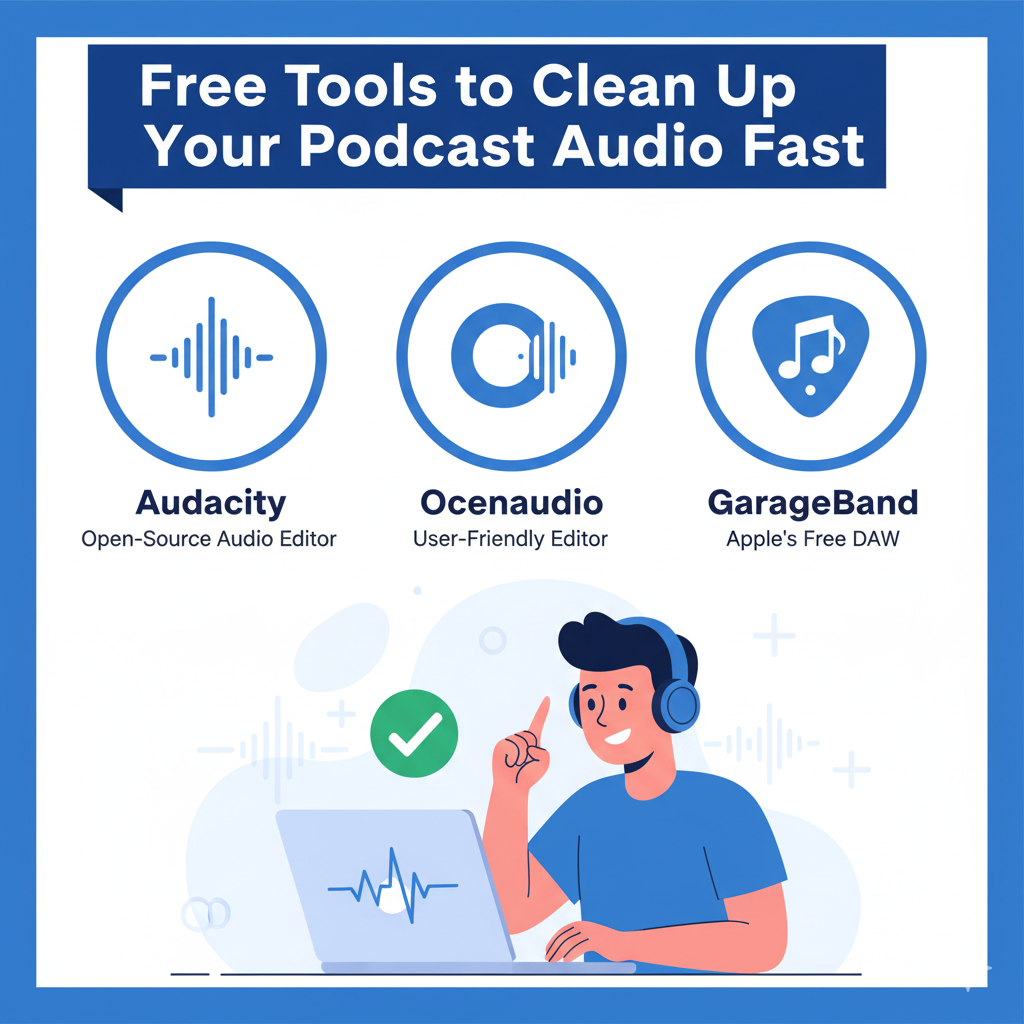
In this post, I will walk you through three powerful free tools you can start using right now. Audacity, Ocenaudio, and GarageBand may be free, but they are packed with features that can instantly make your podcast sound better. When people search for “podcast editing software free,” these tools are usually the first names that come up, and for good reason.
By the end of this post, you will know exactly how to use them to trim mistakes, reduce background noise, and level out your audio so your podcast sounds more polished and professional without spending a single dollar.
Why Clean Audio Is Non-Negotiable
People listen to podcasts with certain expectations. When they press play, they expect to hear a clear voice, steady volume, and no distracting background noise. If your audio does not meet that basic standard, most listeners will treat your show like any other low-effort content and move on. That is the simple truth: sound quality shapes what people think about your podcast before they even hear your first idea.
First impressions matter more than most creators realize. The first 30 to 60 seconds of an episode are critical. If a listener hears echo, loud traffic, or a voice that is too quiet or too loud, they will often stop the episode and never come back. Great content can lose its power if the delivery is hard to follow. Imagine a brilliant interview that is ruined by a constant fan noise or a guest who sounds distant and muffled. The message gets lost because the listener has to work too hard to hear it.
Editing is not just about making things sound pretty. Editing is about respect. When you cut out long pauses, filler words, and awkward tangents, you are saving your listener time and keeping their attention. Tight editing turns a meandering conversation into a focused story. When you balance levels and remove hiss, you make it easier for people to understand every word, even on noisy commutes or when they are listening through cheap earbuds. In short, good editing improves comprehension and keeps people engaged.
There is also a practical side. Clean audio makes your show easier to repurpose. Clear transcripts can be produced faster. Social clips sound better. Ads and intro music sit well in the mix. These small production wins add up to a better listener experience and a more professional brand.
If you want people to take your podcast seriously, you must take your audio seriously. Treat the recording and editing process as part of your content, not an afterthought. Do that and your ideas will have the best chance to reach people, stay with them, and make an impact.
Free Tool 1: Audacity for Trimming and Basic Editing
Let’s start with one of the most popular free tools out there: Audacity. If you’ve ever searched for “podcast editing software free,” chances are this was one of the first names you came across. And for good reason—it has been around for years, works on Windows, Mac, and Linux, and costs absolutely nothing to use.
So, what exactly does Audacity do? Think of it as your digital scissors and eraser. It allows you to go into your raw podcast recording and clean up the parts that don’t belong. Did you pause too long before answering a guest’s question? You can trim that silence. Did you stumble over a word and repeat yourself? Cut the mistake out. Want to remove some of those “ums” or “uhs”? You can zoom in and slice them right out.
Here’s how a simple workflow looks inside Audacity:
- Open the software and import your audio file.
- Use your cursor to highlight the sections you don’t want, like dead air or mistakes.
- Press delete, and the audio tightens up automatically.
- Keep going until your episode feels smooth and natural.
Why is this so useful? Because you get full manual control without paying a dime. You do not need fancy presets or advanced tools when you are just starting out. With a bit of practice, you can quickly make your podcast sound cleaner and more professional.
Now, Audacity might not have all the bells and whistles of expensive editing suites, but for basic trimming and tightening, it does the job perfectly. It’s like having a reliable pocketknife in your toolkit—it might not be glamorous, but it works every single time.
Free Tool 2: Ocenaudio for Noise Reduction
If you have a persistent hum, fridge noise, or low-level room hiss, Ocenaudio is a great free tool to try. It is lightweight, simple to use, and made for people who want a fast way to clean tracks without learning a complicated program. You can run it on Windows, Mac, or Linux, and it gives you a clear, visual way to remove steady background noise in just a few clicks.
What noise reduction actually does
Noise reduction works by listening to a short section of audio that contains only the unwanted sound, like a few seconds of room noise. The software uses that sample to create a noise profile and then reduces similar sounds throughout the recording. This is why noise reduction works best on constant noises, not on random sounds like a dog bark or a door slam.
Step by step walkthrough
- Open your audio file in Ocenaudio and listen through once to find a short section that contains only the background noise you want to remove. This could be a few seconds of silence at the start or a pause between speakers.
- Select that noisy section with your mouse. The selection gives Ocenaudio a sample to analyze.
- Open the noise reduction effect from the Effects menu. The tool will read your selection and create a noise profile automatically or use the selection as the sample for reduction.
- Use the preview button to listen to how the noise reduction behaves. Ocenaudio lets you hear changes in real time, which makes it easy to find the right balance.
- Adjust the sliders for strength or sensitivity until you hear less hum but the voice still sounds natural. Be careful not to push settings too far.
- When you are happy with the preview, apply the effect to the whole track or to targeted sections. Save a copy of the original file before you apply changes so you can revert if needed.
Why this is useful?
Ocenaudio removes background hums, static, and low-level room noise quickly. For many podcasters, that one cleanup step makes a huge difference to clarity and listener comfort. Because the interface is simple and the preview is instant, you can experiment without fear and learn fast.
Tips and cautions
- Always save the original file before making big changes.
- Do not overdo noise reduction. Too much processing creates strange artifacts that make voices sound robotic or watery.
- If the noise is intermittent or very loud, removal will be harder. In those cases it is better to fix the source or get professional help.
- After noise reduction, listen on headphones and on phone speakers to make sure the voice still sounds natural.
If you try these steps and the background noise is still getting in the way, Pure Lighthouse Media can help clean stubborn audio or advise on recording fixes so your future episodes start with a better raw file.
Free Tool 3: GarageBand for Leveling and Mixing
If you are a Mac user, you already have access to one of the most versatile free tools out there: GarageBand. While many people think of it as music software, it is also a solid option for podcast editing. What makes GarageBand useful is that it not only lets you trim and cut audio, but it also gives you tools for leveling and mixing so your podcast sounds smoother and easier to listen to.
Step by step walkthrough
- Open GarageBand and import your track. You can drag and drop your audio file right into a new project.
- Once your track is in, click on the track settings and add compression. Compression works like an automatic volume adjuster. If you speak too quietly, it gently lifts the volume. If you get loud or laugh suddenly, it pulls the level back down. The result is a more even listening experience without big jumps in volume.
- Next, use a simple EQ (equalizer) to clean up the sound. EQ allows you to reduce muffled tones or add a touch of brightness to make your voice clearer. For example, you might lower some of the bass if your recording sounds too “boomy,” or gently raise the mids to make speech stand out.
- Play your track through headphones and make small adjustments until the voice sounds natural and balanced. GarageBand gives you real-time playback, so you can hear changes instantly.
Why this is useful
Listeners notice when audio levels are uneven. Without leveling, one part of your episode might be too quiet while another is painfully loud. That forces people to constantly adjust the volume or, worse, stop listening altogether. GarageBand solves that problem by giving you free tools to create a consistent, polished sound.
Think of it like seasoning food. The raw ingredients (your voice recording) might be good, but compression and EQ are like adding salt and spices, they make the end result smoother and more enjoyable. Even simple adjustments can take your podcast from “home-recorded” to something that feels much more professional.
And the best part? GarageBand is already free if you own a Mac. No extra downloads, no subscriptions, just a clean way to take your recordings up a level.
If you try GarageBand and still feel your episodes lack polish, Pure Lighthouse Media can help with professional mixing and mastering so your podcast has that broadcast-quality shine.
Benefits of Using Free Software for Small Budgets
One of the best things about starting a podcast today is that you do not need to spend a fortune on tools. Free editing software gives new podcasters the chance to create clean and professional-sounding audio without worrying about monthly subscriptions or expensive licenses. Let’s break down why this is such a big deal, especially if you are just getting started or running your show on a tight budget.
Zero financial barrier to entry
When you are new to podcasting, every dollar matters. Buying microphones, pop filters, or even paying for hosting can already add up quickly. Free editing tools like Audacity, Ocenaudio, and GarageBand remove one of the biggest costs. You can jump right into recording and editing without pulling out your wallet. This makes podcasting much more accessible for hobbyists, students, or small business owners who want to test the waters before investing heavily.
Perfect for testing if podcasting is right for you
Many people love the idea of having a podcast but are not sure if they will actually enjoy the process. With free tools, you can experiment at your own pace. Maybe you will record a few practice episodes, share them with friends, and decide whether podcasting feels fun and sustainable. If you find yourself loving it, you can later upgrade to premium software or professional editing help. If not, you have lost nothing but a little time.
Enough power for solo podcasters or beginners
Just because the software is free does not mean it is weak. Tools like Audacity and GarageBand give you plenty of features for trimming, noise reduction, and leveling audio. For a solo podcaster or someone running a straightforward show with minimal editing needs, these free programs are more than enough. You can cut out mistakes, reduce background noise, and create an episode that sounds polished without needing advanced effects.
Why this matters
Clean audio is one of the biggest ways to keep listeners engaged, and free software gives you the ability to deliver that without stretching your budget. Instead of worrying about costs, you can focus on building confidence behind the mic and developing content that your audience will love. Free tools act as a perfect stepping stone, letting you grow your skills and your podcast before deciding whether to invest in more advanced options.
And when you do feel ready for that next step, Pure Lighthouse Media is here to help polish your audio to professional quality so you can keep growing without the stress.
Where Free Tools Hit Their Limits
Free editing software is a great way to get started, but it is not without its challenges. At some point, many podcasters realize that while these tools can clean up audio, they may not always deliver the speed, polish, or scalability needed to grow a consistent show. Let’s take a closer look at the main limits you may run into.
Learning curve: Manual editing takes time
Free software often requires you to do everything by hand. For example, trimming long pauses, cutting out “ums” and “ahs,” or adjusting volumes track by track can be tedious. Beginners usually spend hours figuring out how the menus work or testing different tools before getting the results they want. This is fine when you are experimenting, but if you are trying to release weekly episodes, those extra hours can quickly add up and lead to burnout.
Missing advanced features: Limited automation and presets
Paid tools or professional editing services often use automation to speed things up. Think of automatic leveling, smart noise reduction, or presets that instantly clean your audio with one click. Free software usually does not offer these shortcuts. Instead, you will need to learn how to apply effects manually, adjust them carefully, and hope the outcome sounds right. While the results can still be solid, they may lack the professional polish that today’s listeners expect.
Scalability issues: Multi-track editing can get messy
If your podcast involves multiple hosts, guests, or music layers, free tools start to show their weaknesses. Editing three or four audio tracks at once in Audacity or GarageBand can be overwhelming. You might deal with cluttered timelines, limited mixing features, or lag that slows down your workflow. The more complex your show becomes, the more frustrating these limitations feel.
Next Steps If You Outgrow Free Tools
Free tools like Audacity, Ocenaudio, and GarageBand are excellent for beginners. They let you learn the basics, experiment with your sound, and clean up audio without spending money. But as your podcast grows, you may notice that these tools take longer to get the job done or simply cannot deliver the professional quality you want. That is when it is time to consider your next move.
When free tools start slowing you down
At first, manual trimming and basic noise reduction feel manageable. But once you have multiple episodes, longer interviews, or multiple tracks to juggle, the editing hours pile up. Instead of focusing on content, you are buried in the technical side of production. Listeners can also start to notice when your audio quality is inconsistent, which makes it harder to grow and keep an audience.
Outsourcing vs upgrading
Many podcasters think the logical step is to buy paid software. Tools like Adobe Audition or Logic Pro offer more automation, presets, and advanced features. However, these come with their own challenges: steep learning curves, higher costs, and the need to spend more time learning yet another system. That is why many creators skip the upgrade path and go straight to outsourcing.
When you outsource your editing, you instantly save hours every week. Instead of sitting in front of waveforms, you hand your raw audio to someone who already knows the tools inside and out. Not only does this free up your time, but you also get consistent, polished results that help your show sound professional every episode.
Also, if you have reached the stage where editing feels like a roadblock, Pure Lighthouse Media can help. We specialize in podcast audio editing services that take the technical weight off your shoulders.
Conclusion
At the end of the day, one thing is clear: clean audio is not optional if you want listeners to take your podcast seriously. Thankfully, you don’t need to spend hundreds of dollars to get there. Free tools like Audacity, Ocenaudio, and GarageBand give beginners the ability to trim mistakes, reduce background noise, and balance sound so episodes feel smoother and more enjoyable to listen to.
If you’re just getting started, these tools are more than enough to help you produce a podcast that sounds professional enough to attract and keep an audience. The best part is, you don’t need to empty your wallet to make it happen. Every creator deserves a fair chance to share their voice without being held back by expensive software.